Custom framing, online

Frame your art, your way.

Pick a print, then choose the molding, the mat and the glass. The preview builds your frame from a picture of the real molding, and every change is priced again.

Try the live demo

A frame, drawn, built and taken apart

  1. 1 · The drawing

    Drawn from the molding's own profile

    Each molding comes with its profile drawing: how wide it is, how deep, and where the rabbet sits that holds the glass, the mat and the art. This frame is built from that drawing, to the inch.

  2. 2 · Built to size

    Your print sets the size

    A 20 by 16 inch print behind a 3 inch White mat, in a 1 inch matte black molding, comes to 27½ by 23½ inches on the wall.

  3. 3 · Every layer, and what it costs

    Everything that goes into a frame

    Glass or acrylic in front, then the mat with its bevel, the art, a backing board, and the wire it hangs from. Drag to turn it.

    Materials at cost
    $29.24
    Your markup on them
    +$199.49
    Labor: mounting, fitting
    +$60.00
    Retail
    $288.73

    For 27½ × 23½″ on the wall, on our demo catalog's made-up costs. Every figure is tracked in the app.

  4. 4 · Ready to hang

    Put back together

    Then it all goes back in, ready for the wall. Try another molding or mat, then a print of your own.

    Try the live demo
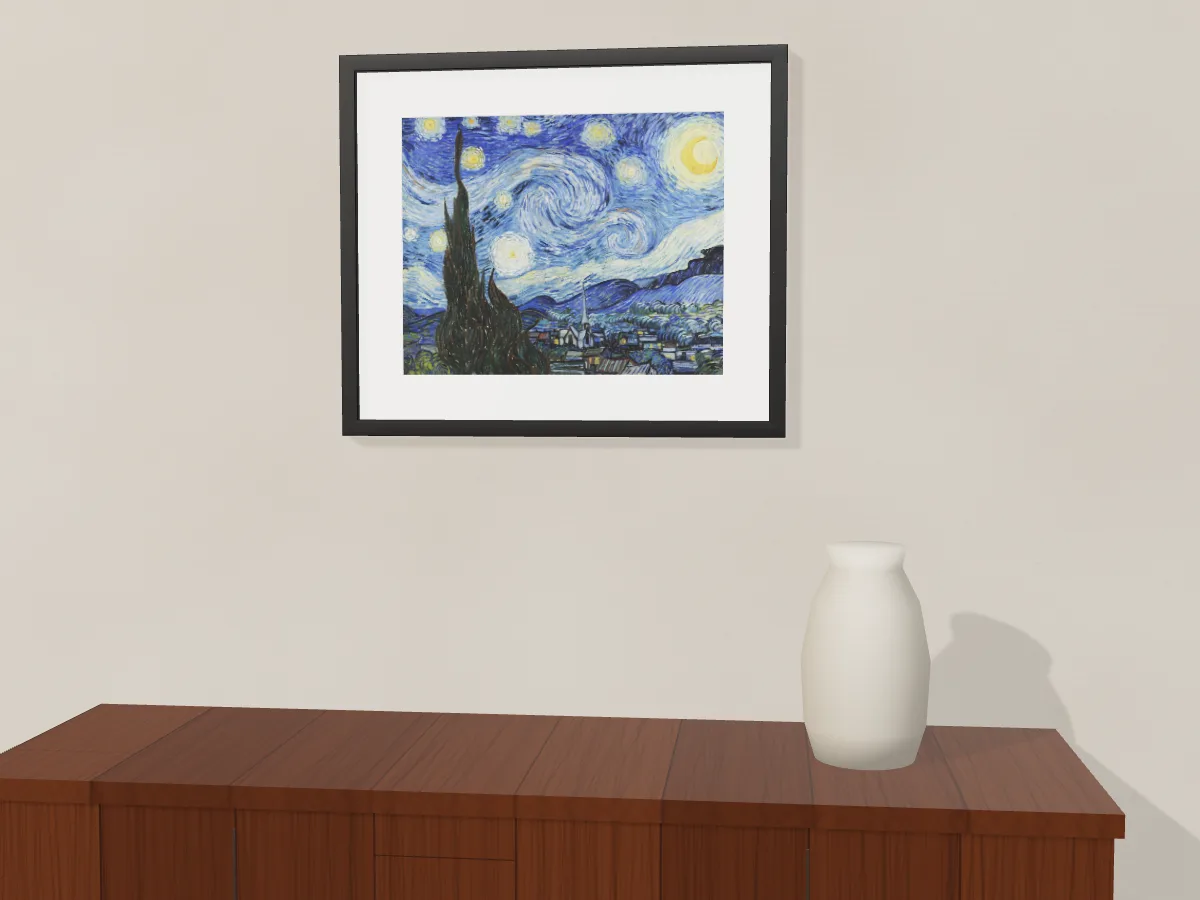
The Starry Night by Vincent van Gogh in a 1 inch matte black frame with a white mat.

Before you order

See it on your wall

The frame you just built, hung on your own wall at its true size, through your phone's camera.

The Starry Night in a matte black frame with a white mat, hanging on a plaster wall above a wooden floor.

Works in Safari on iPhone and in Chrome on Android.

How it works

From a print to a frame, in a few choices

  1. 1

    Choose the medium

    Fine art paper, photo paper or canvas. The choice sets what comes next: loose paper skips the frame, and canvas is never matted.

  2. 2

    Set the size

    One slider. The other side follows the print's own shape, so nothing is cropped or stretched.

  3. 3

    Pick the molding

    The preview builds the frame from a picture of the real corner, so you see the finish and the profile as they are.

  4. 4

    Add a mat

    Choose its color and width. The art size updates as you go.

  5. 5

    Choose the glazing

    Glass or one of the acrylics, including museum grade. Sizes too large for standard glass leave it out.

  6. 6

    See the price

    Every change is priced again. Download a one-page tear sheet with the preview and every detail.

The film

One minute, start to finish

Watch a print go from loose paper to a framed piece, with the prices as they change.

Where it runs

Built for Shopify. Other platforms on request.

Framing.Ink installs on your Shopify store as an app, and your framing orders run through it. Selling somewhere else? Tell us what you use.

Today

Shopify

  • Installs as an app: you approve it on Shopify's own screen, and it connects to your store.
  • Each frame a customer designs goes into their cart as its own product, at its own price.
  • Orders, refunds and cancellations come back from Shopify on their own, and your monthly invoice follows them.

On request

Other platforms

The customizer also runs on a page of its own, so anyone can design and price a frame there. Ordering runs through Shopify today; your monthly invoice comes from Framing.Ink, not through Shopify. On another platform, or a site of your own? Book a demo and tell us what you use.

Start with a print you love.

Configure it, see it framed, and know the price before you order.

See the shop side